


You're probably in one of two situations right now. Your current printer is chewing through cartridges, jamming when you're in a hurry, or producing streaky invoices at the worst possible time. Or you're buying a new device and trying to work out whether a cheap printer now will become an expensive mistake later.
My advice is simple. Don't shop for a printer in the usual way. Ignore the sticker price for a minute and look at the total cost of ownership. For most Kiwi offices, schools, admin teams, and serious home users, that's where a laser printer pulls ahead.
Table of Contents
- Why a Laser Printer Might Be Your Best Choice in NZ
- Matching a Laser Printer to Your NZ Use Case
- Essential Features to Compare on Laser Printers
- Calculating the Cost Per Page in NZ
- Smart Buying and Replenishment with MyToner
- NZ-Specific Pitfalls and Your Final Buying Checklist
- Common Laser Printer Questions Answered
Why a Laser Printer Might Be Your Best Choice in NZ
Laser printers are built for people who print documents, not occasional photos. If your day involves invoices, courier labels, school handouts, quotes, packing slips, forms, or reports, a laser printer is usually the smarter buy.
An inkjet sprays liquid ink through tiny nozzles. A laser printer works more like a precise dry transfer system, using toner and heat to fuse the print onto paper. In practice, that means cleaner text, less smudging, and less drama when the printer sits idle for a while.
Laser vs inkjet in plain English
Think of it this way. Inkjet behaves more like a spray painter. Laser behaves more like a stamp press. That's why laser tends to look sharper on text-heavy pages and why offices still rely on it.
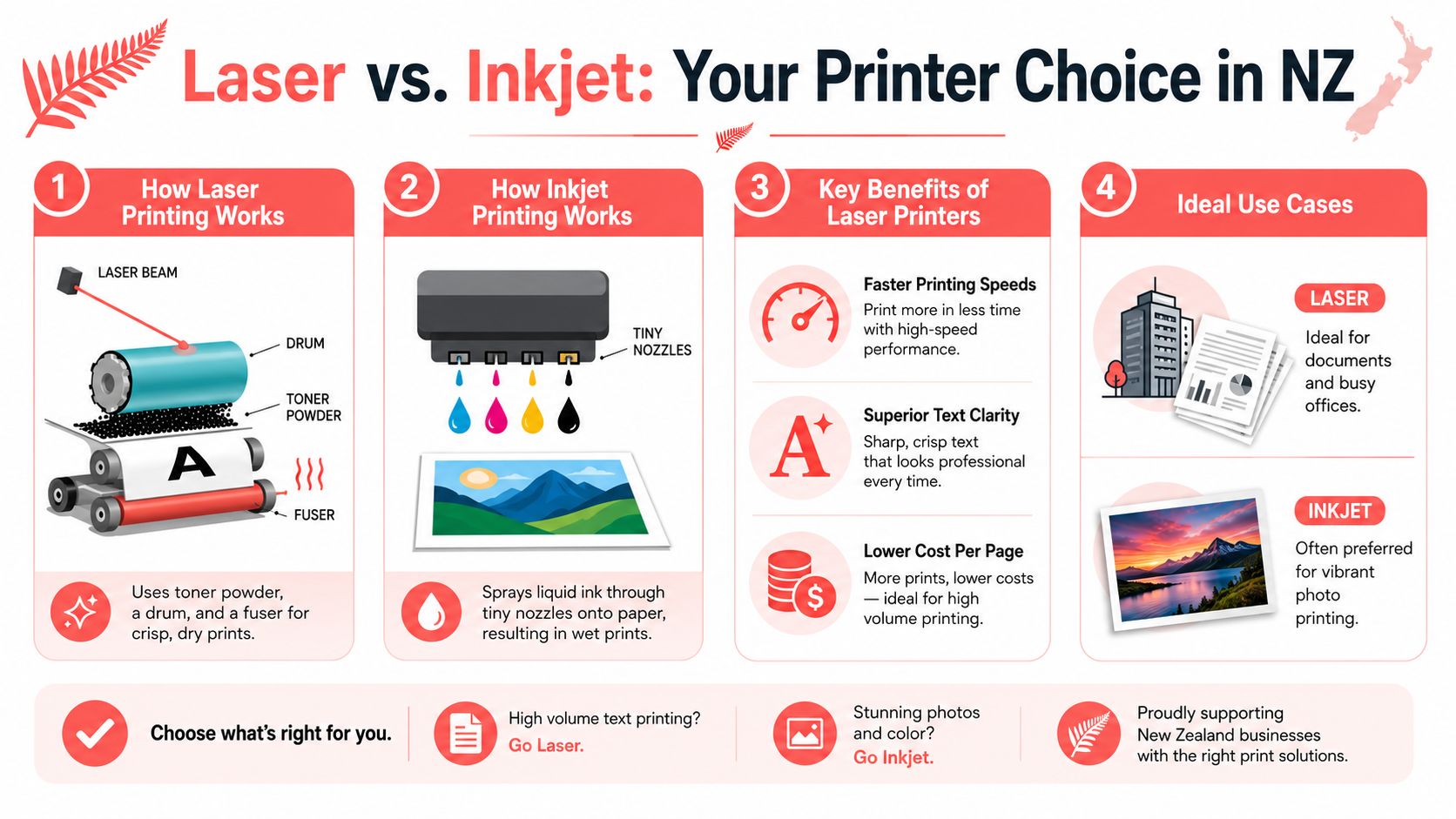
In New Zealand, inkjet unit shipments grew 6.9% year-on-year, according to IDC data cited by Future Market Insights on the professional printer market. That matters, but mostly for lighter-duty and home-oriented buying. The same source also notes that laser printers are critical in commercial use, where they held a 28.0% revenue share in the global commercial printer market in 2025. That lines up with what you see on the ground here. Businesses still need reliable, high-volume, text-heavy output.
Practical rule: If your printer's main job is documents, laser should be your default starting point.
Where laser makes financial sense
A lot of buyers get distracted by the cheaper upfront cost of an inkjet. That's fine if you print lightly and irregularly. It's a poor decision if you're replacing cartridges constantly, losing time to maintenance, or reprinting smeared pages.
Laser also makes sense if several people share one device. A home office with one user might cope with a compact mono model. A team printing invoices and courier paperwork every day shouldn't be messing around with a consumer inkjet.
Choose laser first if you care about these things:
- Sharp black text: Contracts, statements, reports, and school material look cleaner.
- Fast turnaround: Busy admin desks need pages out now, not eventually.
- Less fuss after idle periods: Toner sits better than liquid ink in stop-start environments.
- Predictable running costs: You can budget toner replacement far more easily.
If your priority is photo printing, don't force a laser printer into that job. Buy the right tool instead. But for most office and admin work in New Zealand, a laser printer is the workhorse.
Matching a Laser Printer to Your NZ Use Case
The right laser printer nz purchase depends less on brand loyalty and more on how the machine will be used. I've seen too many businesses buy a flashy colour multifunction device when a compact mono unit would've done the job better and cheaper.
Four buying profiles that actually matter
Take the solo freelancer in an Auckland apartment. They need something compact, quiet enough, and cheap to run for contracts, tax records, and occasional courier docs. A mono laser printer is usually the right answer. Skip colour unless you need it.
Now look at a growing Christchurch trades business. They're printing quotes, invoices, supplier paperwork, and job sheets. They should be looking at a multifunction mono laser with an automatic document feeder and duplex printing. Scanning and copying matter just as much as printing in that environment.
A Wellington primary school office is different again. Admin teams handle permission slips, newsletters, internal forms, and staff material. That setup often suits a multifunction colour laser because some output needs colour, but reliability matters more than glossy marketing specs.
Then there's the Tauranga warehouse or dispatch team. Their printer doesn't need to be pretty. It needs to print all day without complaining. That's a heavy-duty mono laser or workgroup model, preferably with Ethernet and easy access to consumables.
The broader market supports that direction. Market Research Future's laser printer market report projects the global laser printer market will reach USD 6.86 billion by 2035, and the same source notes New Zealand has 775 printing businesses in 2025. That tells you laser isn't a dying business tool. It's still core infrastructure.
The wrong fit costs more than the printer
The most expensive printer isn't always the one with the highest purchase price. It's often the one that's mismatched to the workload.
Here's the mistake pattern I see most:
- Home users buying office beasts: They pay for capacity they'll never use.
- Busy offices buying entry-level devices: They save at purchase, then lose time on slow output and constant toner changes.
- Small teams buying colour by default: They don't need colour for most pages, but they pay for it anyway.
- Warehouses buying consumer models: They end up replacing trays, rollers, or the whole unit earlier than expected.
Buy for your busiest normal week, not your quietest week.
That one decision usually gets you closer to the right printer than any online comparison chart.
Essential Features to Compare on Laser Printers
Spec sheets are full of noise. Most buyers only need to compare a handful of features properly. Get these right and you'll avoid most expensive mistakes.
Specs worth paying for
Monochrome or colour
This is the first filter. If you print mostly text, invoices, order forms, and internal documents, go monochrome. Colour is worth paying for only if the output effectively improves communication, such as school notices, client-facing proposals, or branded documents.
Duplex printing
Automatic double-sided printing saves paper and cuts the hassle of manually flipping pages. For office use, I consider duplexing close to essential.
ADF on multifunction models
An automatic document feeder matters if you scan or copy multi-page documents. Without it, someone stands at the printer feeding pages by hand. That gets old fast.
Connectivity
Choose based on your environment, not fashion.
| Feature | Best for | Why it matters |
|---|---|---|
| USB | One-user setups | Simple and direct |
| Wi-Fi | Home offices and flexible desks | Cleaner setup, fewer cables |
| Ethernet | Shared office printers | More stable for teams |
Paper handling
Don't ignore tray capacity and paper path. If staff refill paper constantly, productivity drops. If you print labels or special media, check that the model supports the stock you use.
Specs that sound important but often aren't
Pages per minute
PPM matters, but only in context. A solo user doesn't need a speed demon. A reception desk with queues does.
Monthly duty cycle
This is basically the printer's workload ceiling. Treat it as a stress limit, not a target. If your regular print load sits too close to that ceiling, the machine will feel worn out much sooner.
Touchscreens and app extras
Nice to have. Rarely worth paying extra for unless they simplify scanning workflows or user access on a shared device.
Security features
These matter more in larger offices, schools, and managed environments than in a one-person home office. If multiple staff print confidential material, secure release features are worth considering.
When you compare consumables, don't just read the box. Learn how toner yield and cartridge type affect long-term cost. This practical guide on facts about toner cartridges is worth a look before you commit to a printer family.
A good buying rule is to rank features in this order:
- Print type: mono or colour.
- Workload fit: entry-level, office, or workgroup.
- Functionality: print only or multifunction.
- Running cost: toner yield and availability.
- Convenience: duplex, ADF, tray size, network options.
If a model looks cheap but fails on the first four, it isn't cheap.
Calculating the Cost Per Page in NZ
A Christchurch office buys a cheap laser printer on special, then gets hammered six months later by pricey toner, damp paper jams, and a drum replacement nobody budgeted for. I see this all the time. The sticker price is the smallest part of the decision.
Start with total cost of ownership, not the hardware deal.
Use a simple TCO formula
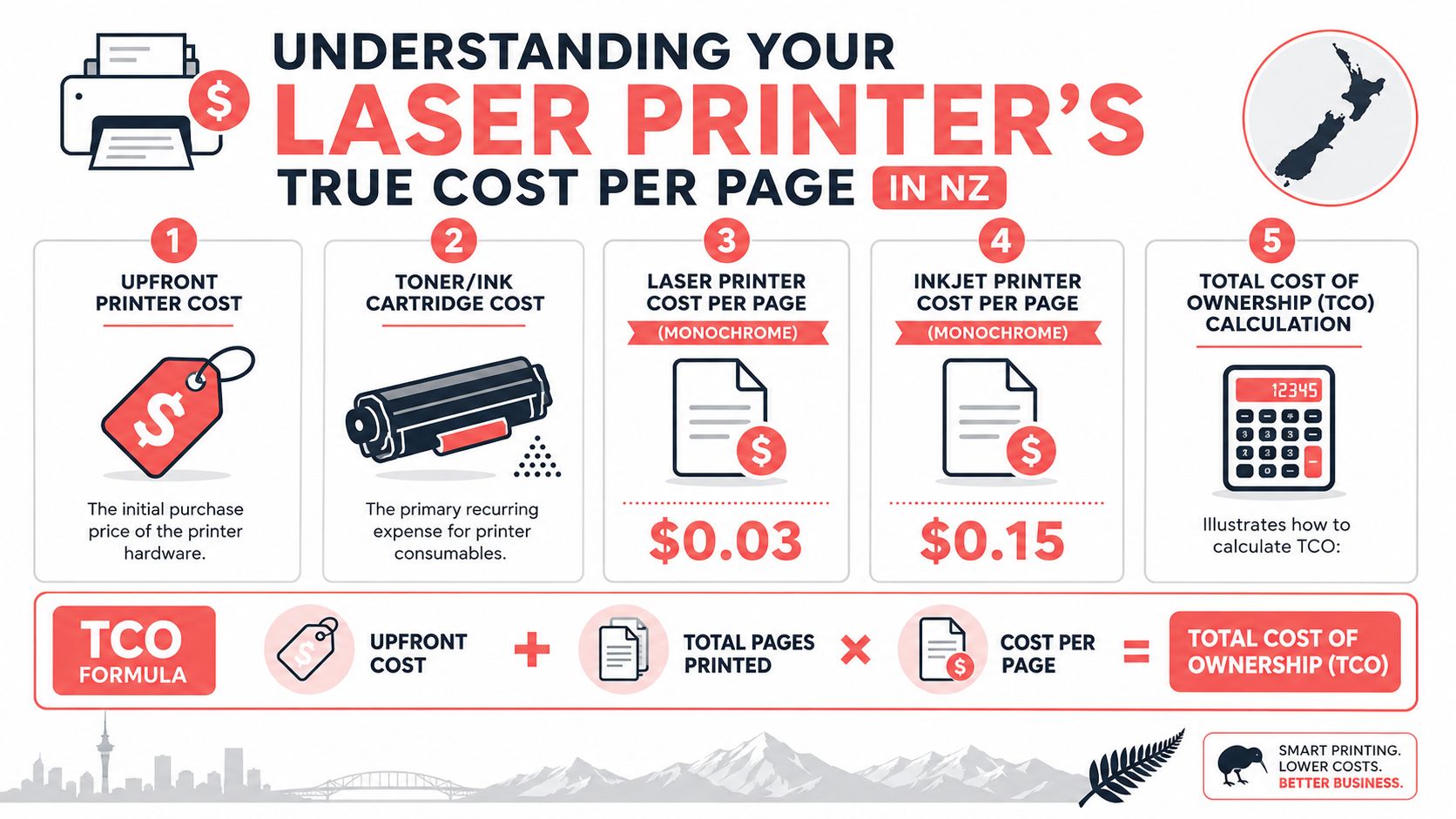
Total cost of ownership = upfront printer cost + (total pages printed × cost per page)
Use that formula before you buy. It gives you a much clearer view of what the printer will cost over two or three years, which is how long many NZ small businesses keep these machines in service.
As noted earlier, laser printers often deliver lower running costs than inkjets once print volume climbs. High-yield toner usually makes the biggest difference. If a model has no high-yield option, cross it off your shortlist.
In New Zealand, paper quality and storage conditions also affect cost per page. Cheap, dusty paper sheds fibres and increases misfeeds. Humid storage can curl sheets and cause repeat jams, especially in coastal areas and unheated offices over winter. Every reprint, jam, and wasted sheet pushes your cost per page up, even if the toner yield looks good on paper.
Cheap printer, expensive toner is still the classic trap.
Where NZ businesses usually waste money
The first mistake is buying a printer without checking the full consumables setup. Some models need a separate drum unit, transfer belt, or maintenance kit. Toner is only part of the running cost.
The second mistake is relying on standard-yield cartridges for a printer that sees steady weekly use. That decision looks harmless at purchase time and expensive by the second or third reorder.
The third mistake is ignoring the local supply chain. A printer with awkward, hard-to-find consumables can leave you paying more than you should, or waiting too long for stock. In NZ, that matters more than glossy feature lists.
This video gives a useful visual explanation of how print economics work in practice.
A better approach is simple. Estimate your monthly page volume, check whether high-yield toner is available, confirm whether the printer uses a separate drum, and price the consumables before you commit. This guide on upfront cost vs page yield and when an advanced printer pays for itself is useful if you are weighing a cheaper printer against a more capable model.
My recommendation is blunt. Buy the printer family with affordable, readily available high-yield consumables and predictable maintenance costs. That's where the savings happen.
Smart Buying and Replenishment with MyToner
It is 10:15 on a Wednesday, the invoice run is due by noon, and the printer stops because someone ordered the wrong toner last time. I see this in NZ offices all the time. The waste is not just the cartridge cost. It is staff time, missed deadlines, courier fees, and panic buying.
Good replenishment starts with accuracy. Get the right consumable for the exact printer you own, keep one spare on site, and avoid emergency orders.
How to avoid ordering the wrong cartridge
Start with the full printer model number from the label on the machine. Do not rely on memory, box photos, or the last order description in Xero. Brother, HP, Canon, and FujiFilm Business Innovation all have model ranges with near-identical names and different toner or drum requirements.
The check is simple:
- Match the exact printer model number on the device.
- Confirm whether it uses a separate drum unit or an all-in-one cartridge.
- Pick standard or high-yield based on real monthly volume.
- Order for your current printer fleet, not a future replacement you have not bought yet.

If you buy online, use a supplier that lets you search by brand and exact model so you can verify toner, drum units, and related parts in one place. MyToner does that, which cuts down compatibility mistakes and makes it easier to check the full consumables set before you order.
What to check before you place the order
NZ supply timing matters more than many buyers expect. If your printer is in Kerikeri, Invercargill, or a rural service area, a wrong order costs more than the item itself because your team sits idle while you wait for the replacement.
Before you place an order, check the basics properly:
- Delivery timing: Review the supplier's stated dispatch and delivery expectations. Why fast shipping and local inventory matter for printer supplies in NZ covers the practical impact.
- Pickup availability: Handy for Auckland businesses that need same-day collection by appointment.
- Return policy: A clear refund or replacement process matters if you order the wrong item or receive a faulty cartridge.
- Freight threshold: Free shipping minimums often make planned bulk orders cheaper than one-off emergency purchases.
My advice is straightforward. Keep one spare black toner cartridge for every active mono printer and every active colour printer. Black runs out first, black stops the most work, and black is the cartridge you do not want to be chasing at 4 p.m.
For NZ businesses, this is part of total cost of ownership. A slightly cheaper printer is no bargain if its toner is hard to source, slow to arrive, or easy to misorder. Buy the printer you can support properly, then set a simple reorder rule and stick to it.
NZ-Specific Pitfalls and Your Final Buying Checklist
Most generic printer guides are written as if paper behaves the same everywhere. It doesn't. New Zealand conditions create very specific annoyances, and paper handling is one of them.
Humidity is the hidden printer problem
A lot of offices blame the printer when the underlying issue is the paper. That's why people replace toner, clean random parts, or start shopping for a new machine when the hardware isn't the root cause.
A persistent issue in NZ offices is paper feed failure linked to local humidity. One survey found 42% of SMEs experienced printer downtime due to paper jams, according to the cited discussion and summary in this NZ-focused paper jam reference. The same verified data notes this is often an environmental mismatch rather than a hardware fault.
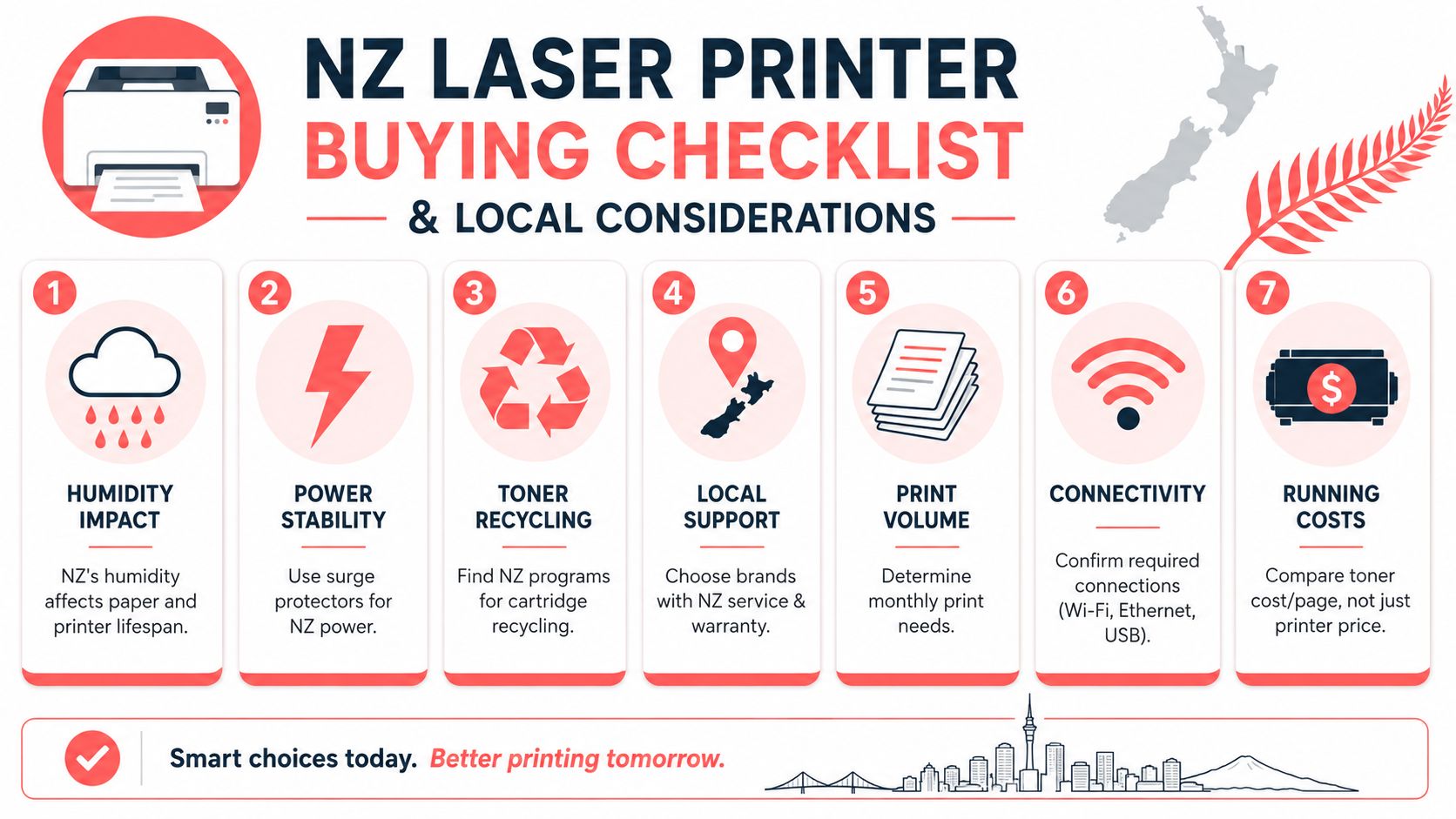
In plain English, paper absorbs moisture. That changes how it feeds. Auckland humidity can make paper curl or stick. Drier southern conditions can create their own handling issues. If your team keeps getting jams, don't assume the printer is faulty.
Store paper sealed, keep it off the floor, and don't dump a half-open ream into the tray and hope for the best.
Use decent office paper, fan it before loading if it has been sitting, and keep the tray guides snug. Not tight. Snug.
Your final buying checklist
Before you buy any laser printer nz model, run through this list:
- Match the printer to the job: Solo desk, office admin, school front office, or warehouse all need different machines.
- Choose mono unless colour earns its keep: Most businesses overbuy on colour.
- Check duplex and ADF early: They save time every week.
- Look at toner strategy before hardware price: High-yield support matters more than a flashy control panel.
- Check paper handling: Labels, forms, and heavier stock need the right path and tray support.
- Plan for your environment: Humidity, storage, and paper quality affect reliability.
- Buy with replenishment in mind: If supplies are awkward to source, the printer becomes a nuisance.
If you follow that checklist, you'll avoid the common mistakes I see every month. Most printer pain is predictable. The problem is that buyers usually discover it after the purchase.
Common Laser Printer Questions Answered
A common NZ mistake is buying a cheap laser printer for a home office or small team, then discovering six months later that the toner costs more than the machine was worth. These are the questions that matter before that happens.
Are laser printers safe in a home or office?
Yes. Modern laser printers are generally suitable for normal home and office use, especially in a standard ventilated workspace. A Safe Work Australia review of laser printer emissions found low emissions in office settings and did not establish a clear health link from modern toners or VOC exposure in typical workplaces.
If your staff are printing all day in a cramped, poorly ventilated room, fix the room setup as well as the printer placement. Put the machine in a sensible spot, not beside someone's face on a tiny desk.
Are laser printers good for photos?
No. Laser printers are built for sharp text, invoices, labels, reports, and everyday business documents. They can handle colour graphics well enough for internal use, but photo quality is not their strength.
If you print property brochures, menus, or client-facing marketing pieces where image quality matters, outsource the job or buy the right photo-focused device. Do not force an office laser printer into work it is not built for.
How long should a laser printer last?
A well-matched laser printer can stay productive for years. Lifespan comes down to volume, paper quality, humidity, and whether the machine is sized properly for the job.
In NZ, paper storage matters more than buyers expect. Damp paper in Auckland and coastal areas causes feeding issues, extra wear, and service calls that look like printer faults but are really paper problems. Buy the right class of printer, use decent paper, store it properly, and the machine will last longer and cost less to run.
Should I buy mono or colour?
Buy mono unless colour pays for itself. That is the rule I give most small businesses.
Mono printers are cheaper to run, simpler to stock with consumables, and usually the better TCO choice for admin, accounts, legal, logistics, and general office work. Choose colour only if you print customer-facing documents often enough to justify the higher toner spend.
If colour is only for the odd logo or heading, save your money.
If you are checking cartridge compatibility or supply options by printer model, MyToner is one NZ supplier worth comparing as noted earlier.


