


Description
Premium Compatible Ink Cartridge Combo Pack for Brother MFC-260C (4-Color Set)
Unlock maximum efficiency, outstanding print clarity, and substantial cost savings with our Premium Compatible Ink Cartridge Combo Pack for Brother MFC-260C. Engineered specifically to meet or exceed OEM performance, this complete 4-color replacement value pack is the ideal printing solution for busy home offices, small businesses, students, and everyday household tasks.
Instead of paying high prices for brand-name cartridges, enjoy clean text, vibrant photos, and crisp graphics at a fraction of the cost—without sacrificing reliability or damaging your printer.
What’s Included in the Combo Pack
This value-packed 4-color multipack provides a complete ink refresh for your Brother printer, containing one high-capacity cartridge for every primary color slot:
-
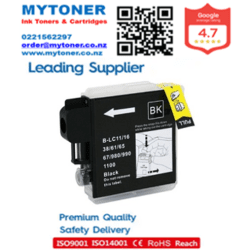
1x Black Ink Cartridge (LC37 / LC51 / LC57 Compatible) – High-density black formulation for laser-sharp text documents, barcodes, and fine linework.
-
1x Cyan Ink Cartridge (LC37 / LC51 / LC57 Compatible) – Formulated for brilliant blues, sky hues, and balanced color mixing.
-
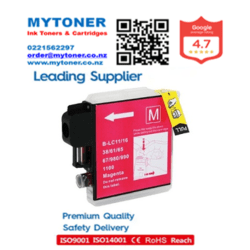
1x Magenta Ink Cartridge (LC37 / LC51 / LC57 Compatible) – Engineered for vibrant reds, rich purples, and accurate tone reproduction.
-
1x Yellow Ink Cartridge (LC37 / LC51 / LC57 Compatible) – Delivers bright, vivid highlights and warm tones across graphics and photo prints.
Key Features & Benefits
1. Exceptional Print Quality & Color Accuracy
Formulated using advanced micro-filtered ink chemistry, each cartridge delivers sharp contrast and deep color saturation. Black ink cartridges produce rich, clean text that avoids smudging or feathering, while color cartridges deliver smooth gradients and true-to-life tones for family photos, marketing materials, charts, and school assignments.
2. Massively Reduced Printing Costs
Printing expenses add up quickly. This compatible multipack delivers page yields and performance comparable to original Brother cartridges, allowing you to reduce your cost-per-page by up to 70%. Print heavy reports, multi-page presentations, or colorful flyers with complete peace of mind.
3. Seamless Compatibility & No-Fuss Installation
Equipped with built-in smart chips and accurate physical molding, each cartridge installs effortlessly into your Brother MFC-260C printer. The printer recognizes the cartridges instantly, displaying accurate ink level monitoring so you never run out mid-job.
4. Anti-Clogging & Quick-Drying Formula
Our quick-drying ink formula prevents printhead clogging and minimizes bleeding on standard copy paper, inkjet glossy photo paper, and specialty media. Print documents that dry instantly and resist smudging under highlighters.
5. Rigorous Quality Standards
Manufactured in ISO 9001 and ISO 14001 certified facilities, every cartridge undergoes multi-stage quality control tests—including vacuum pressure testing, color spectrum balance checking, and printhead yield evaluations—to guarantee leak-free storage and steady ink flow.
Specifications
-
Product Type: Compatible / Generic Ink Cartridge Combo Pack
-
OEM Equivalent Part Numbers: LC-37, LC-51, LC-57, LC-1000 series
-
Page Yield: Up to 500 pages for Black / 400 pages per Color cartridge (at 5% coverage on A4 paper)
-
Ink Type: Dye-Based / Pigment-Balanced Ink Formula
-
Shelf Life: 24 Months (when stored in original sealed packaging)
-
Certifications: ISO 9001 Quality Management, ISO 14001 Environmental Management
Complete Printer Compatibility
While tailor-made for the Brother MFC-260C multifunction printer, this universal LC37/LC51/LC57 cartridge set works flawlessly across a broad range of Brother inkjet printer models, including:
-
Brother MFC Series: MFC-260C, MFC-235C, MFC-240C, MFC-440CN, MFC-465CN, MFC-665CW, MFC-685CW, MFC-885CW, MFC-3360C, MFC-5460CN, MFC-5860CN
-
Brother DCP Series: DCP-135C, DCP-150C, DCP-130C, DCP-330C, DCP-350C, DCP-465CN, DCP-540CN, DCP-560CN
-
Brother FAX Series: FAX-1360, FAX-1460, FAX-1560
Step-by-Step Installation Guide
Replacing your empty cartridges with this combo pack is simple and takes under two minutes:
-
Power On: Ensure your Brother MFC-260C printer is turned on.
-
Open Cover: Open the ink cartridge cover located on the right side of the machine.
-
Release Old Cartridge: Press the lock release lever corresponding to the empty color slot and remove the old cartridge.
-
Unpack New Cartridge: Unseal your new compatible ink cartridge from its protective wrapper and remove the yellow protective tape or seal cap (do not touch the green chip or ink nozzle).
-
Insert Cartridge: Insert the new cartridge into its designated color slot in the direction indicated by the arrow until it clicks securely into place.
-
Close & Test: Close the ink cartridge door. The printer will perform an automatic initialization process, after which you are ready to print.


Reviews
There are no reviews yet.