


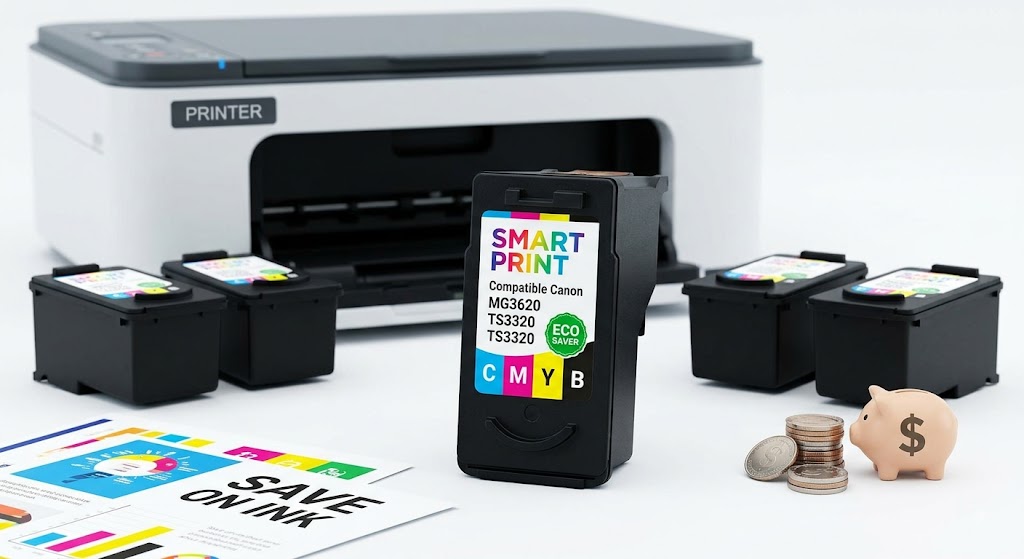
Canon ink alternatives can make a meaningful difference to the cost of printing schoolwork, invoices, shipping labels, photos, and everyday documents. The right compatible cartridge gives you dependable results for routine use without paying premium OEM prices every time your printer runs low. The key is buying for your exact printer and cartridge number, not simply choosing a cartridge that looks similar.
For home users and busy small businesses, that approach keeps printing simple: identify the cartridge, choose a quality replacement, install it correctly, and get back to work.
What Are Canon Ink Alternatives?
Canon-branded cartridges are OEM cartridges, meaning they are made and sold by Canon for its own printers. Canon ink alternatives are replacement products made by another manufacturer for use in compatible Canon printer models.
A compatible cartridge is generally a newly manufactured cartridge built to match the specifications of a particular Canon cartridge. This is different from a refill service, where an empty cartridge is filled again, and from a remanufactured cartridge, which is a previously used cartridge that has been cleaned, refilled, tested, and prepared for reuse.
Each option can have a place, but compatible cartridges are often the most straightforward choice for people who want a ready-to-install replacement. You do not need to handle ink bottles, reset tools, or a messy refill process. For regular document printing, a reliable compatible cartridge can offer the practical balance of cost, convenience, and performance many households and offices need.
Why Compatible Canon Cartridges Appeal to Everyday Printers
The obvious benefit is lower printing cost. Original cartridges can be expensive, especially when a printer uses separate black, cyan, magenta, and yellow cartridges. Replacing only the empty color helps, but the cost can still add up quickly for families, students, and businesses that print regularly.
Compatible cartridges give budget-conscious buyers another option. Savings are particularly useful when you print high volumes of black-and-white documents, forms, packing slips, worksheets, or draft copies. A lower cartridge price also makes it easier to keep a spare on hand, which can prevent an empty cartridge from stopping a task at the worst possible time.
That said, the cheapest cartridge is not automatically the best value. A cartridge with inconsistent output, poor packaging, or unclear model compatibility can create more hassle than it saves. Look for a supplier that clearly identifies compatible printer models and cartridge codes, provides secure ordering, and stands behind its products with a clear return or replacement policy.
How to Choose the Right Canon Ink Alternative
Canon printers use many cartridge families. A cartridge for one PIXMA printer may not work in another PIXMA model, even if both printers use similar-looking black and color cartridges. The label inside the printer, your existing cartridge, the printer manual, or the printer settings screen can help you find the correct code.
Before ordering, confirm these four details:
- Your exact Canon printer model, including letters and numbers
- The cartridge code currently installed in the printer
- Whether you need black ink, a color cartridge, or individual color cartridges
- Whether your printer accepts standard-yield or high-yield XL cartridges
The printer model matters most. Do not rely on a broad description such as “Canon PIXMA ink.” A cartridge must match the specific series and cartridge number required by your machine.
Standard Yield vs. XL Cartridges
Standard-yield cartridges are usually a good fit for occasional printing. They cost less upfront and work well if you print a few pages, tickets, or documents each week.
High-yield or XL cartridges contain more ink and are often the better value for frequent printing. They are useful for home offices, classrooms, online sellers, and small businesses that regularly print orders, invoices, labels, or customer paperwork. The upfront price may be higher, but the cost per page is often lower.
An XL cartridge is not always the right choice. If you print very rarely, it may make more sense to use a standard cartridge and follow regular maintenance habits so ink does not dry in the print head. Choose based on your actual print volume, not just the largest cartridge available.
Black Ink, Photo Black, and Color Cartridges
Some Canon printers use a pigment black cartridge for crisp text and a dye black cartridge for photos and color images. Others use a combined color cartridge that holds cyan, magenta, and yellow in one unit. This setup affects what you need to replace when a color runs out.
For document-heavy printing, prioritize a dependable black cartridge that produces sharp, readable text. If you print family photos, marketing materials, or color presentations, use cartridges intended for your printer’s photo and color printing setup. Compatible ink can be excellent for everyday color output, but professional photo work with strict color-matching needs may still justify OEM cartridges or a dedicated photo-printing workflow.
Will Compatible Ink Work Properly in Your Canon Printer?
A well-made compatible cartridge is designed to work in the specified Canon models. Most users can install one just as they would an original cartridge: open the printer cover, remove the empty cartridge, take off the protective packaging, fit the new cartridge into the correct slot, and run a test print.
Your printer may display a message identifying the cartridge as non-OEM or unable to report an exact ink level. This does not always mean the cartridge cannot print. Some cartridges have chips that support ink-level monitoring, while others may require you to acknowledge a printer message before continuing. Read the on-screen prompt carefully rather than removing a cartridge immediately.
Printer firmware can also affect third-party cartridges. Firmware is software built into the printer, and manufacturer updates can sometimes change how the printer recognizes compatible supplies. If your printer is working well with a compatible cartridge, avoid installing optional firmware updates unless you need a specific improvement or security fix. If you do update and encounter a recognition issue, contact the cartridge supplier with your printer model, cartridge code, and the exact message shown on screen.
Getting Consistent Results From Alternative Ink
Cartridge quality matters, but printer care matters too. Inkjet printers work best when used regularly. Printing a small page every week or two helps keep ink moving through the nozzles, especially if the printer sits unused for long periods.
If print quality starts to fade, show lines, or miss a color, run the printer’s nozzle check and cleaning cycle. One cleaning cycle is often enough. Repeating several deep-cleaning cycles can use a significant amount of ink, so only do this when the test pattern shows a real issue.
Store unopened cartridges in a cool, dry place and keep them in their sealed packaging until needed. Avoid leaving a cartridge out of the printer for extended periods, and do not touch the chip or ink outlet. These simple steps reduce the risk of installation errors and help protect print quality.
For best results, use the paper setting that matches the paper in your tray. Plain paper settings are suitable for everyday documents. Photo paper settings can improve images, but they also use more ink. If you are printing drafts, choose draft or economy mode when your printer offers it. You will use less ink while keeping documents readable.
When OEM Canon Ink May Be the Better Choice
Compatible cartridges are a sensible option for many printing jobs, but there are situations where original Canon ink may suit you better. If your work requires highly controlled color for professional photography, fine-art prints, or client proofs, OEM ink and manufacturer-recommended paper can provide more predictable results within Canon’s own color system.
You may also prefer OEM cartridges if your printer is still under a service arrangement that specifically requires them, or if you are troubleshooting a printer problem and need to eliminate every possible variable. The choice does not have to be all or nothing. Many people use compatible black ink for high-volume documents and reserve OEM supplies for specialized photo output.
Buy With Confidence, Not Guesswork
The best cartridge purchase starts with a clear match between printer model and cartridge number, then comes down to value and supplier support. At Inktoner Cartridge, compatible supplies are selected for customers who want reliable replacements at a price that fits regular printing needs, without making the buying process complicated.
Keep the cartridge code saved in your phone, printer notes, or previous order details. When the low-ink warning appears, you will be ready to order the right replacement before printing has to stop.


