


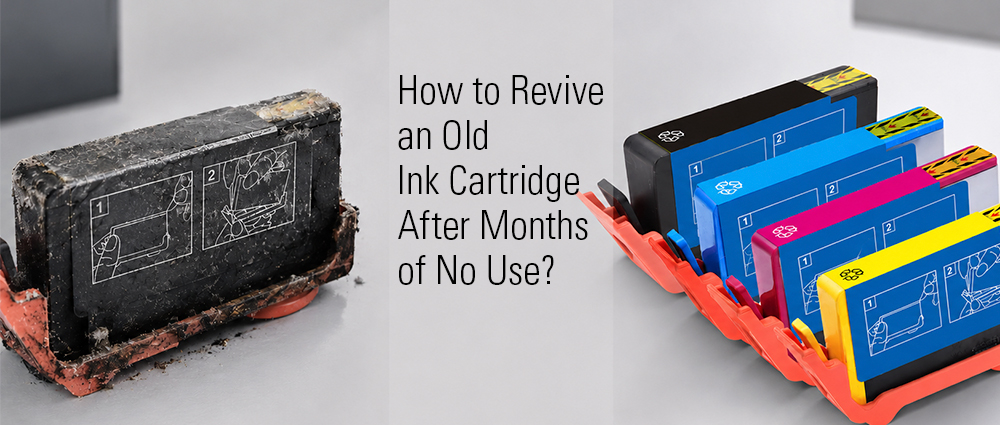
If you are stuck with old ink cartridges that seem dead, don’t throw them in the trash just yet! The quick answer is that you can usually revive a dried ink cartridge by gently bathing the printhead in warm water or blotting it with a damp, lint-free cloth to clear the blockage.
If your cartridge is truly empty or beyond saving, swapping it out for a budget-friendly, high-quality comppatible ink cartridge is an excellent way to get back to crisp, flawless printing without emptying your wallet.
Why Do Old Ink Cartridges Dry Out in the First Place?
To fix the problem, it helps to understand why it happens. Inside your printer cartridge, the ink is a liquid mixed with special ingredients to help it dry instantly the second it hits your paper. However, this also means that when your printer sits idle for weeks or months, air gets into the tiny nozzles where the ink comes out.
Because those nozzles are microscopically small, even a tiny droplet of leftover ink can harden under the exposure to air. This creates a solid plug of dried ink that blocks the rest of the liquid from flowing out.
Step-by-Step Guide: How to Revive an Old Ink Cartridge
Before you assume your cartridge is total trash, you can try a few simple, budget-friendly rescue missions right at your kitchen sink. Here are three incredibly easy ways to clear out those stubborn clogs and revive an old ink cartridge using things you already have at home.
Method 1: The Warm Water Bath Routine
If the ink plug is stubborn, a little warmth will melt it right away. Find a shallow bowl or saucer, fill it with a little bit of warm (not boiling) water, and place the cartridge down so only the printhead nozzle at the bottom is submerged. Let it sit for about 5 to 10 minutes; you will actually see streaks of ink start to bleed out into the water, which means the hardened crust is finally dissolving. Wipe it completely dry with a paper towel before putting it back in your machine.
Method 2: The Paper Towel Blotted Technique
If you don’t want to submerge anything, a simple blot can do the trick. Take a sturdy paper towel or a lint-free cloth, dampen it with a little warm water or rubbing alcohol, and gently press the printhead nozzle down onto it for a few seconds. When you lift it up, you want to see a solid, clean strip of ink on the towel; if it looks patchy or faint, give it a few more gentle taps to pull the fresh, liquid ink forward.
Method 3: Running Built-In Printer Maintenance Cycles
Fire up your computer, open your printer’s settings or utility software, and look for options like “Printhead Cleaning,” “Deep Cleaning,” or “Nozzle Check.” Running this cycle forces a quick burst of fresh ink and air through the tiny holes to blast away any minor blockages, saving you from getting your hands dirty.
What If It’s Beyond Saving? Evaluating Your Old Printer Ink Cartridges
Sometimes, despite your best efforts with warm water and cleaning cycles, an old cartridge simply won’t cooperate. It is important to know when to stop fighting with it so you don’t waste your time or accidentally damage your printer.
If you have tried the reviving steps two or three times and your pages are still coming out completely blank, or if the print quality is incredibly faint and blurry, your old printer ink cartridges might simply be completely out of ink. Remember, ink naturally evaporates over time when left sitting for months, even if you didn’t print many pages before letting it sit.
Another telltale sign that it’s beyond saving is if the gold electronic contacts on the side or bottom look scratched, corroded, or deeply stained with dried ink that won’t wipe away. When those electronic chips fail, your printer won’t even recognize that a cartridge is inserted. If that’s the case, it is time to stop scrubbing and start looking at an affordable, high-quality replacement to get your projects back on track.


