


A lot of small businesses start the same way. They buy a reasonably priced printer, install the starter cartridges, and move on. Then the first replacement invoice lands, and the mood changes fast. The cartridges cost far more than anyone expected, the printer still complains about low ink at awkward times, and nobody in the office is sure whether buying cheaper replacements will save money or create support headaches.
That's where most printing budgets go wrong. People focus on the cartridge price and ignore everything around it. Downtime costs money. Wrong orders cost money. Firmware lockouts cost money. So does buying a cheap printer that only makes sense until the first few refill cycles. If you're looking for cheap ink for printer use in a New Zealand business, school, or admin office, the key question isn't “What's the cheapest cartridge?” It's “What gives us the lowest total cost without causing printer trouble?”
That's the practical view. Cheap ink can absolutely reduce spend, but only when you match the ink type to the printer, the print volume, and the supplier risk. In some setups, compatible cartridges are the obvious choice. In others, an ink tank printer makes more sense. And in a few cases, the cheapest-looking option becomes the most expensive once recognition errors, poor stock planning, or firmware issues get involved.
Table of Contents
- Introduction The Real Cost of Your Printer Ink
- Your Guide to Low-Cost Ink Options
- How to Calculate Your True Cost Per Page
- Avoiding Compatibility and Quality Pitfalls
- Smart Sourcing Strategies for NZ Organisations
- The Ink Tank Alternative Is It Worth the Switch
- More Ways to Reduce Your Printing Costs
- Conclusion A Smarter Ink Strategy for 2026
Introduction The Real Cost of Your Printer Ink
The biggest mistake I see in small offices is treating ink as a minor stationery line item. It isn't. Once a printer is in regular use for invoices, order slips, school handouts, packing lists, or customer forms, ink becomes an operating cost that needs active management.
The frustration usually starts with genuine cartridges. They work, they're easy to identify, and they feel like the safe choice. But over time, many businesses realise they're paying a premium every single time they replace consumables. That premium might be manageable for a home printer that gets occasional use. It's much harder to justify when a team is printing every day.
Practical rule: Don't judge your printing setup by the price of the printer. Judge it by what it costs to keep that printer running for the next few years.
A school admin office is a good example. One person orders whatever cartridge the machine asks for, another person changes settings, and someone else handles the budget. Nobody owns the full printing strategy, so the organisation keeps paying too much without noticing where the waste comes from. The same pattern shows up in tradie offices, warehouses, and small retailers.
Cheap ink for printer use can solve part of that problem, but not if it's bought blindly. Some low-cost options are perfectly reasonable. Some are fine for low-risk internal printing. Some are a poor fit for modern printers with aggressive firmware controls. The useful approach is to separate marketing noise from operational reality, then choose the option that reduces spend without increasing service calls.
Your Guide to Low-Cost Ink Options
Cheap ink for printer buying usually falls into three buckets. If you don't separate them, it's easy to compare the wrong products and end up disappointed.
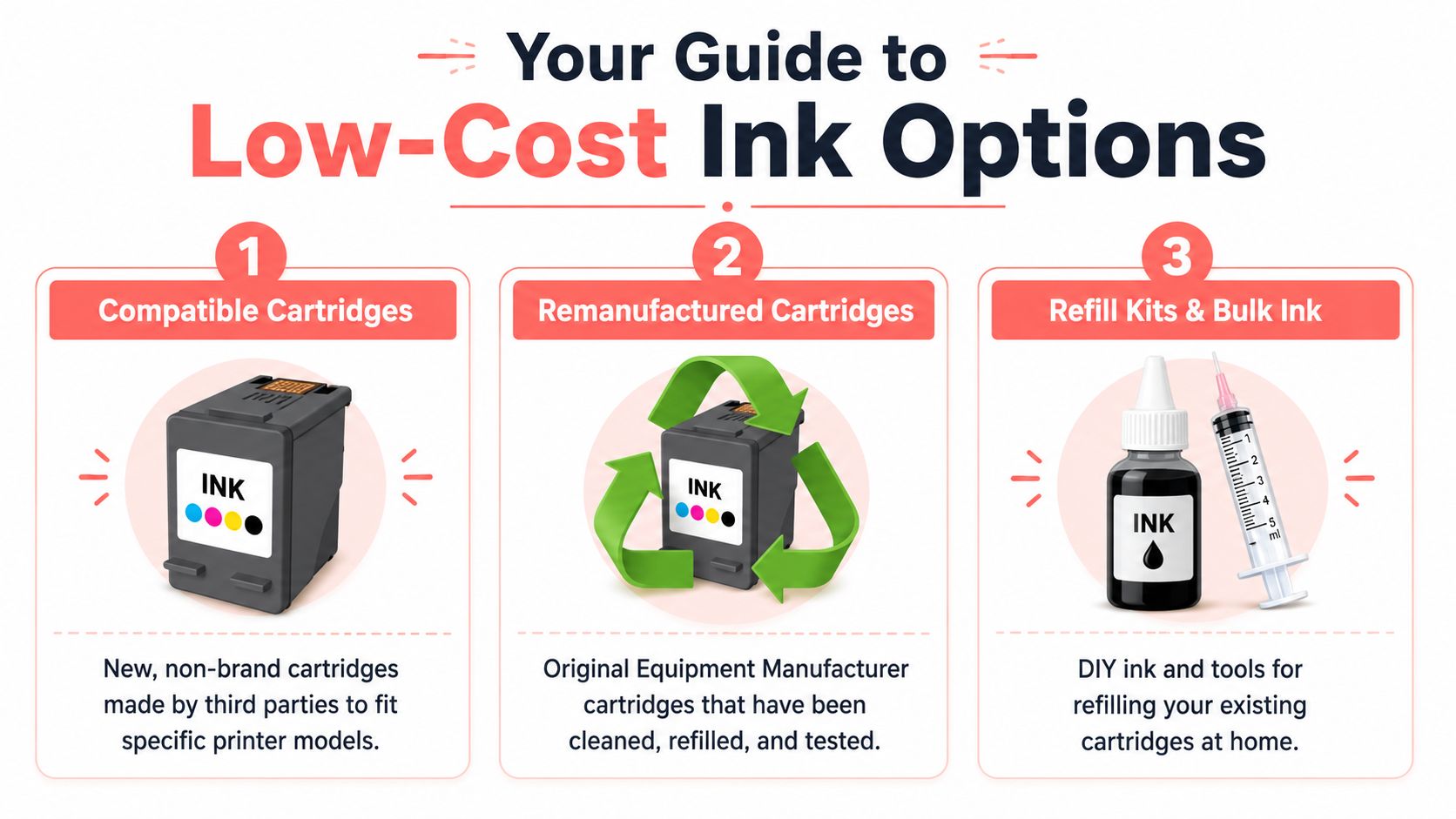
In a supermarket shopping analogy, OEM cartridges are the brand-name item. Compatible cartridges are the home-brand equivalent made to fit the same use case. Remanufactured cartridges are the original container cleaned and refilled for another run. Refill kits are the DIY route where you do part of the work yourself.
Compatible cartridges
A compatible cartridge is a brand-new cartridge made by a third party to fit a specific printer model. This is the option many businesses mean when they say they want cheap ink.
The appeal is straightforward. You're buying a new unit, not a reused shell, and the cost is usually lower than genuine OEM consumables. For offices that print standard business documents, compatibles are often the first place to look because they balance convenience and savings better than DIY options.
Compatible cartridges tend to suit:
- Small offices: Teams that want lower spend without adding extra maintenance work
- Schools: Admin and classroom printing where volume matters more than photo-grade output
- Warehouse and retail setups: Functional printing where uptime and reorder simplicity matter
What doesn't work is buying the cheapest listing you can find from an unknown seller and expecting consistent results. A compatible cartridge is only as good as its chip, fit, sealing, and quality control.
Remanufactured cartridges
A remanufactured cartridge starts life as an original cartridge. It's then cleaned, refilled, rebuilt where needed, and tested for reuse.
For buyers who care about waste reduction as well as cost, this option makes sense. You're reusing an existing cartridge body rather than starting from scratch. In practical terms, remanufactured cartridges can be a sensible fit for common printer models where the supply chain is mature and the seller has decent testing standards.
They're often a good match when:
- The printer model has widely available reman stock
- The organisation wants a lower-waste option
- Print jobs are routine office documents, not colour-critical marketing pieces
The trade-off is consistency. A remanufactured cartridge depends on the condition of the original shell and how well the reman process was done. Good suppliers manage that. Poor suppliers don't.
Refill kits and bulk ink
A refill kit gives you ink and tools to refill a cartridge yourself. This is the most hands-on route and usually the least suitable for busy businesses.
DIY refill systems can look attractive because the upfront consumable cost is low. The catch is labour, mess, chip issues, leakage risk, and the simple fact that most offices don't want staff spending time refilling cartridges at a bench. If you're running a home setup and you're comfortable troubleshooting, refill kits can be workable. In a school office or SME, they usually create more friction than they remove.
Cheap doesn't mean low effort. Refill kits often shift cost out of the cartridge and into staff time, printer cleaning, and avoidable interruptions.
Comparing Cheap Ink Options at a Glance
| Ink Type | Average Cost Saving | Pros | Cons | Best For |
|---|---|---|---|---|
| Compatible cartridges | Qualitatively lower than OEM | New cartridge, simple to install, widely available | Firmware and chip compatibility can be an issue on some models | SMEs, schools, general office printing |
| Remanufactured cartridges | Qualitatively lower than OEM | Reuses original cartridge shell, lower waste, familiar fit | Quality varies more between suppliers | Buyers who want a balance of savings and reuse |
| Refill kits | Qualitatively lower upfront consumable spend | DIY control, useful for hobby or niche use | Messy, time-consuming, greater risk of errors | Experienced home users, very hands-on operators |
How to Calculate Your True Cost Per Page
The shelf price tells you almost nothing on its own. A cartridge can look cheap and still be poor value if the yield is low. Another can look expensive but work out better over time.
The basic formula
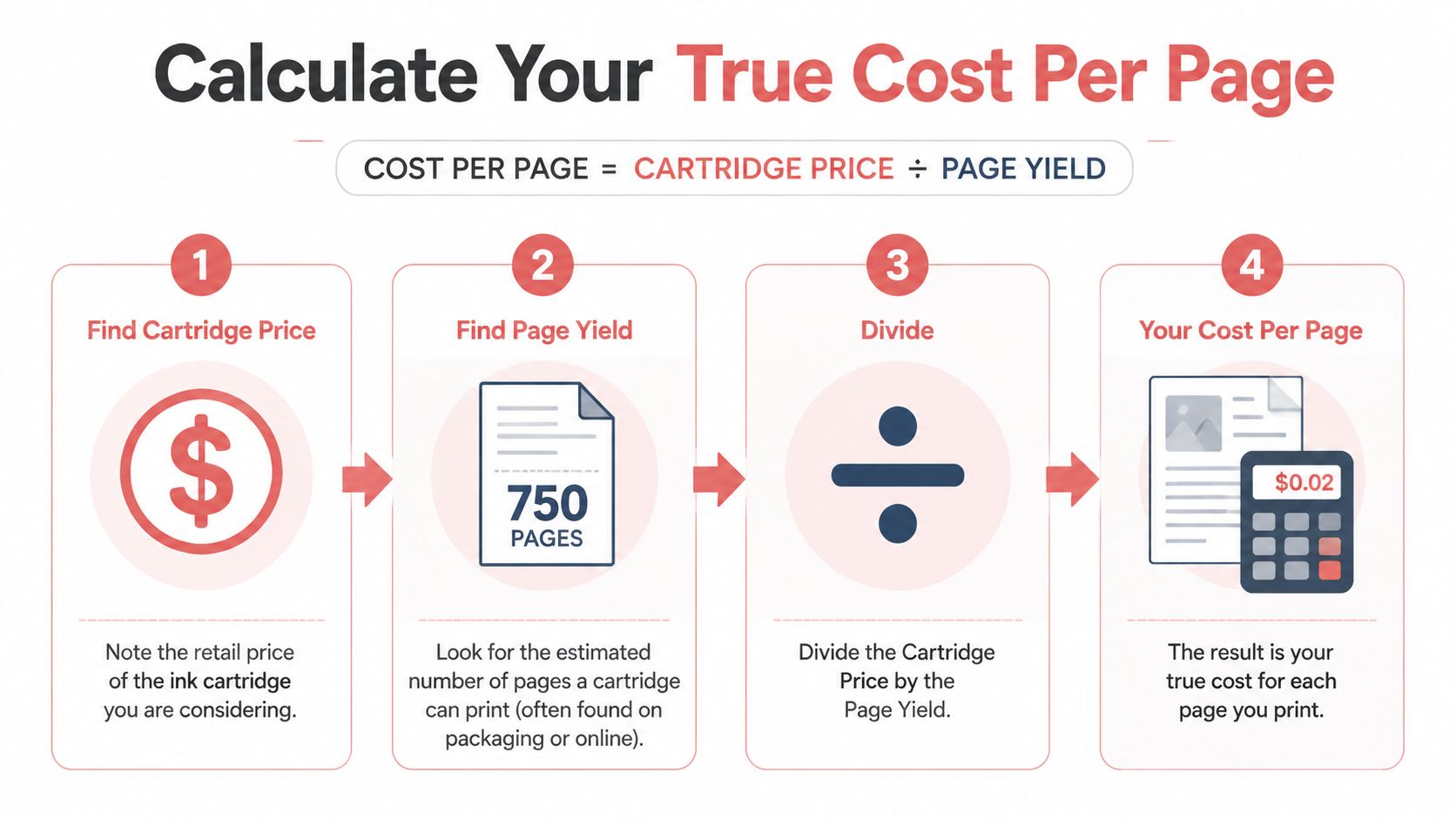
Use this formula:
Cartridge price ÷ page yield = cost per page
That's the number worth comparing. It shifts the conversation away from sticker shock and towards running cost. If you're choosing between standard and high-yield cartridges, or between OEM and compatible products, this is the cleanest way to compare them.
A simple process works well:
- Find the cartridge price for each option you're considering.
- Check the stated page yield on the packaging or product page.
- Divide price by yield for each cartridge.
- Compare like for like, not standard versus XL, and not black-only against colour sets.
What to compare before you divide
Three checks stop most bad comparisons.
- Match the exact cartridge series: Similar printer names often use different consumables.
- Compare the same yield class: Standard and XL cartridges can distort the result.
- Check how you print: If the printer mostly produces internal black-and-white documents, your black cartridge economics matter more than the colour set.
For a useful primer on this buying logic, see upfront cost versus page yield and when an advanced printer pays for itself.
If a supplier only pushes the unit price and makes yield hard to find, pause there. Good cost-per-page decisions depend on transparent product information.
One more point matters in practice. Cost per page is only part of total cost of ownership. If a cartridge causes recognition errors, frequent replacements, or inconsistent output, the nominal saving disappears into wasted time. Use the formula, but don't use it in isolation.
Avoiding Compatibility and Quality Pitfalls
The fear around cheap ink for printer use is usually framed the wrong way. The common question is, “Will this damage the printer?” The more useful question is, “What is the actual failure point in this setup?”
What actually causes most problems
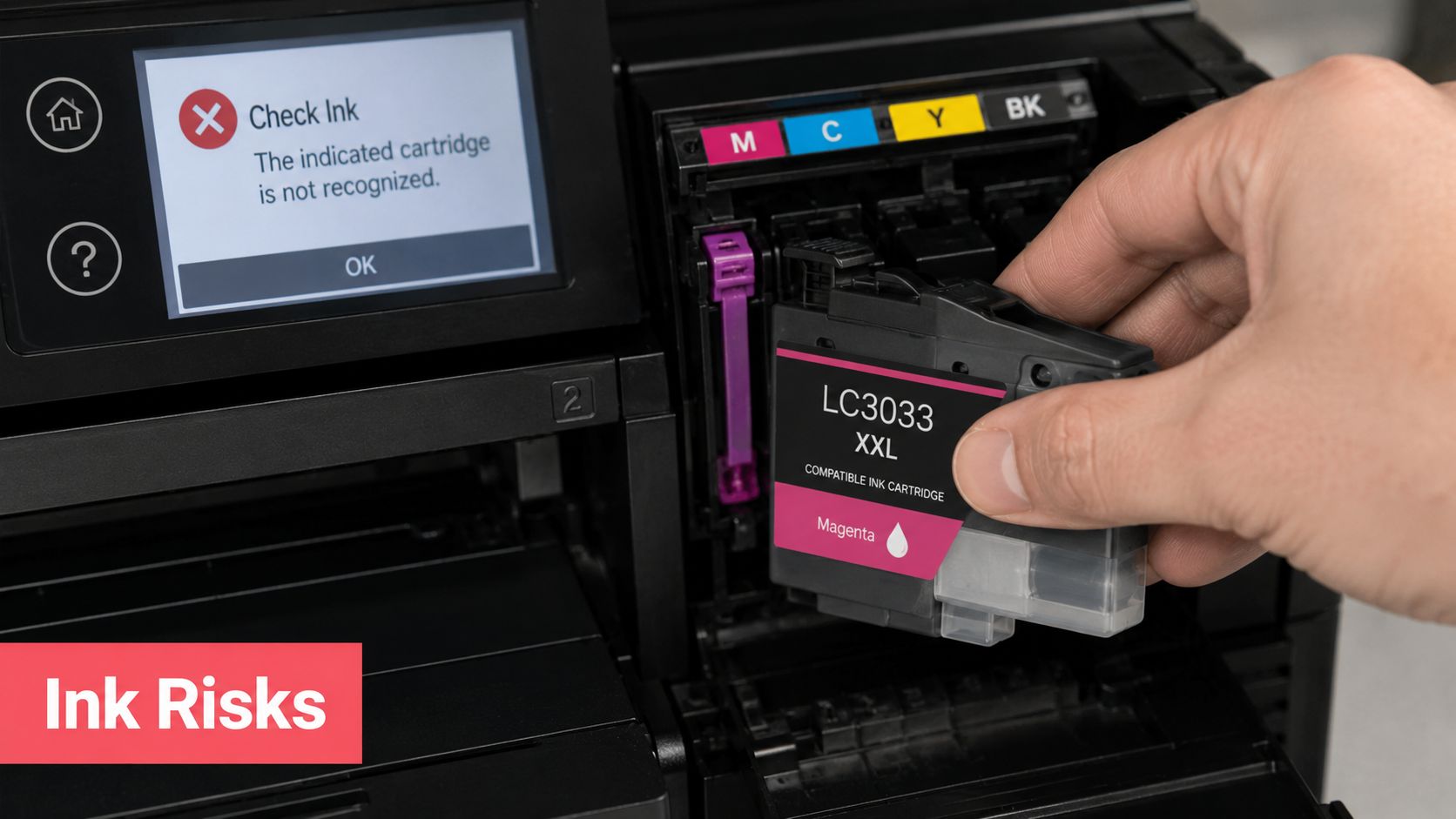
In real-world office use, problems usually come from one of four places:
- Wrong cartridge model ordered: The printer family sounds right, but the cartridge code isn't.
- Poor chip communication: The cartridge fits physically but isn't recognised properly.
- Low-grade build quality: Seals, vents, or housing quality are inconsistent.
- Firmware lockouts: The printer rejects third-party cartridges after setup or an update.
The firmware issue is the one many buyers miss. Consumer.org.nz reports that HP's automatic firmware updates can prevent third-party cartridges from working, that users often agree to this during setup, and that the updates cannot be disabled on later printers, effectively locking those users into OEM ink for the printer's life. That changes the buying decision before you even order your first replacement cartridge.
So no, the modern risk isn't just “cheap ink might be poor quality.” Sometimes the printer manufacturer is the reason a non-genuine cartridge won't work, even if the cartridge itself is fine.
How to lower the risk before you order
Start with disciplined compatibility checks. Don't search by printer brand alone. Search by exact printer model and exact cartridge code.
A well-organised catalogue helps because it reduces ordering errors. This overview of why compatible ink cartridges and toners are cheap also reflects the broader point that lower price often comes from supply-chain and branding differences, not automatically from lower usability.
Use this checklist before buying:
- Confirm the printer model from the machine label, not memory.
- Confirm the cartridge code from the old cartridge or official printer specs.
- Check for known firmware restrictions, especially on HP devices and subscription-style ecosystems.
- Review the return policy before ordering.
- Test one unit first if you're changing supplier or cartridge type.
Buy one test set before you standardise across a fleet. That small pause can save a lot of chasing later.
A decent return or replacement policy matters because even careful buyers occasionally hit a chip recognition issue or model revision mismatch. That isn't a reason to avoid compatibles entirely. It's a reason to buy them like an IT admin, not like an impulse shopper.
Smart Sourcing Strategies for NZ Organisations
A school office runs out of black ink at 8:15am, orders the fastest option available, and deals with the consequences later. That is how many NZ organisations end up with mismatched cartridges, inconsistent print quality, and higher support overhead than they expected.
The better buying method is boring on purpose. Treat ink and toner as managed operating stock, not emergency purchases. If you want lower print costs over a full year, standardisation matters more than chasing the lowest advertised cartridge price on any given day.
Buy for continuity, not just price
Start by reducing variation across your fleet. Every extra printer model creates another cartridge line to track, another chance to order the wrong item, and another set of driver and firmware quirks to support. For a small business, school, or branch office, fewer supported models usually means fewer mistakes and less downtime.
A practical sourcing plan usually includes:
- Consolidating printer models: Fewer models reduce ordering errors and make stockholding simpler.
- Using multipacks where demand is predictable: They can lower unit cost, but only if your storage is organised and the cartridges will be used before they sit too long.
- Keeping one spare set on site for key devices: That avoids premium freight and panic buying without tying up cash in excess stock.
- Replacing printers with poor consumable economics: If a device burns through expensive cartridges or regularly rejects lower-cost options after firmware changes, replacing the printer can be cheaper than keeping it.
That last point gets missed often. A cheap printer can be the most expensive machine in the office once you account for cartridge yield, staff time, and the risk of firmware lockouts.
Why local supply still matters
For NZ businesses and schools, supplier choice affects more than delivery time. It affects how fast you can fix an ordering error, whether returns are straightforward, and whether your accounts team can use payment methods that fit your purchasing process.
This is part of total cost of ownership. A cartridge is not low-cost if it arrives late, cannot be returned easily, or creates enough uncertainty that staff start keeping random backup stock in drawers "just in case."
Local sourcing also helps when you are managing a mixed fleet across several sites. You need clear model matching, consistent stock availability, and support that understands the difference between a one-off home order and a school or office trying to keep printers running all term.
For many organisations, the goal is simple. Fewer urgent orders. Fewer cartridge mistakes. Less wasted admin time. Lower print spend without creating printer problems.
The Ink Tank Alternative Is It Worth the Switch
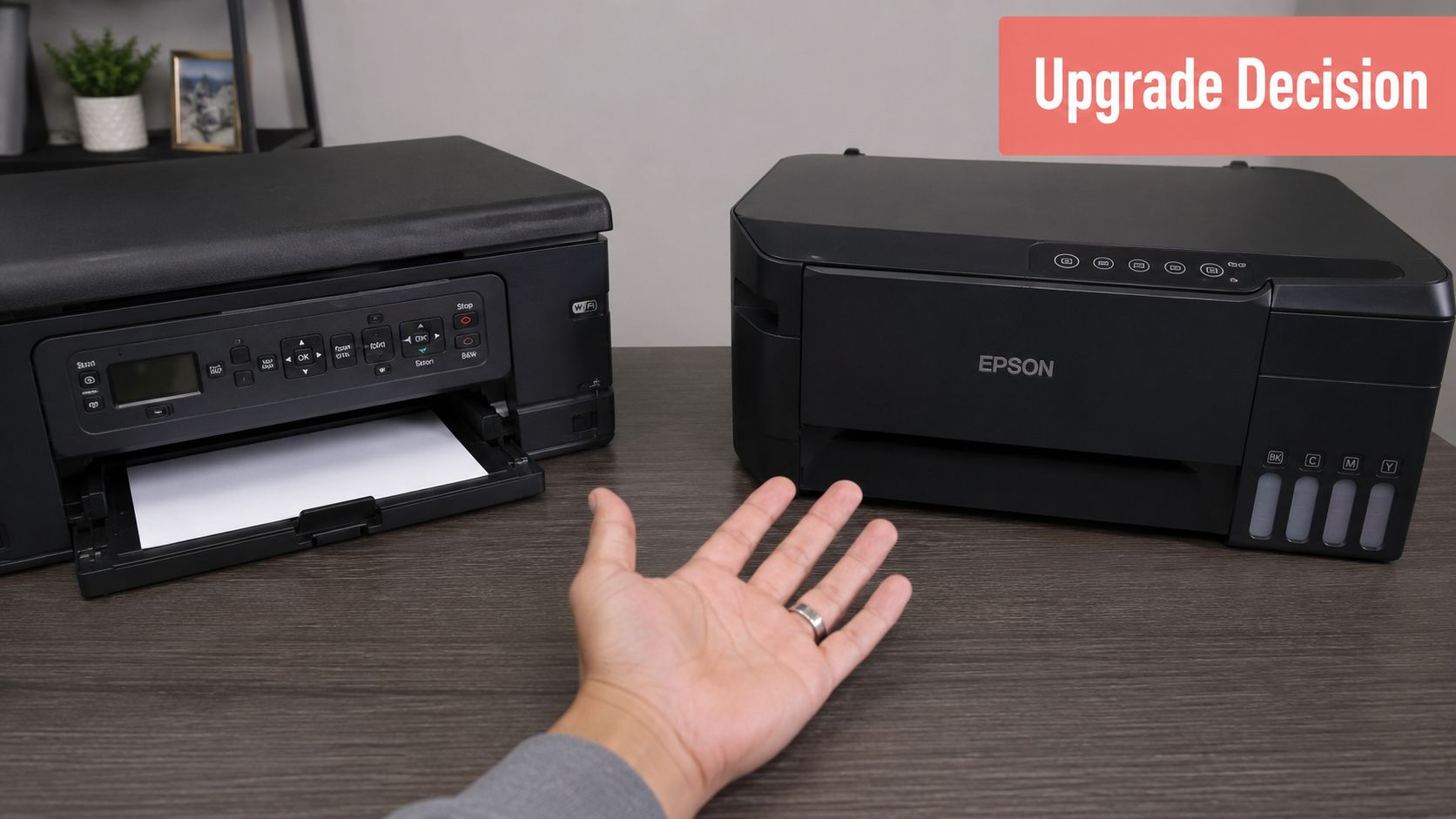
Some businesses reach a point where buying cheap ink for printer cartridges no longer feels like enough. They're replacing cartridges too often, usage is climbing, and the admin overhead starts to outweigh the savings. That's when ink tank printers enter the conversation.
When an ink tank printer makes sense
The main argument for an ink tank machine is simple. You pay more upfront for the printer, then far less each time you refill it. For high-volume users in New Zealand, that can be a very sensible trade.
A useful local data point comes from a New Zealand discussion where users noted that ink tank refill bottles can cost as little as $20 per colour and described EcoTank-style systems as very economical for refill use, particularly compared with traditional cartridge printers (NZ user discussion on printer replacement versus ink cost).
That tends to suit:
- Schools printing regular handouts
- Offices producing invoices, reports, and forms every day
- Warehouse or dispatch teams with constant paperwork
- Households with students and heavy ongoing print demand
What makes ink tanks work is consistency of use. If the machine is printing often, the lower refill cost has room to offset the higher hardware price.
When sticking with cartridges is still sensible
Ink tanks aren't automatically the right answer. If your office prints lightly, intermittently, or across several low-volume devices, a cartridge printer using well-chosen compatibles may still be the cleaner option.
Use this decision filter:
| Situation | Better fit |
|---|---|
| Frequent daily printing | Ink tank often deserves a close look |
| Light or occasional printing | Cartridge printer often remains simpler |
| Single shared office printer | Ink tank can be efficient |
| Several scattered low-use printers | Compatible cartridges may be easier to manage |
| Staff want minimal maintenance | Cartridge systems are usually simpler |
There's also a workflow question. Some businesses don't want to refill tanks, monitor bottle stock, or retrain staff on a different machine type. In those environments, a familiar cartridge setup can still win even if the pure consumable maths favours tanks.
This short overview is useful if you're weighing that upgrade path in practice:
The right decision comes down to volume, not hype. If you print a lot, ink tanks deserve serious attention. If you don't, optimising your current cartridge setup is often the better move.
More Ways to Reduce Your Printing Costs
Consumables matter, but settings and habits can cut spend immediately without changing printer hardware.
Change defaults first
The easiest win is document formatting. Tests cited by Good Egg show that switching from Arial to Times New Roman can reduce ink consumption by approximately 27%. For businesses and schools with steady print volume, that's one of the rare low-effort changes that can produce a meaningful reduction in ongoing ink use.
Other default changes help too:
- Set draft mode for internal documents: Good for checklists, drafts, and working copies.
- Default to black and white: Reserve colour for customer-facing or teaching material that requires it.
- Print double-sided where appropriate: It doesn't save ink directly, but it reduces total page output and paper handling.
- Review email and web printing habits: A lot of waste comes from printing things no one reads.
Internal documents don't need presentation quality. Save the heavier ink use for pages that leave the building or go in front of clients.
Reduce waste around the cartridge
Printing costs also rise when cartridges dry out, sit too long, or get replaced before they're needed. Keep devices in regular use where possible, and deal with nozzle or inactivity issues early rather than discarding stock.
If you're trying to recover a cartridge that has sat unused, this guide on reviving an old ink cartridge after months of no use is a practical reference.
Disposal matters as well. If your organisation cycles through a lot of consumables, it's worth understanding why recycling ink cartridges matters so cost control doesn't create unnecessary waste downstream.
The final piece is behaviour. Ask staff to print with intent. Most offices don't need a campaign around it. They just need sensible defaults and a little consistency.
Conclusion A Smarter Ink Strategy for 2026
Cheap ink for printer buying isn't about chasing the lowest listed price. It's about building a setup that keeps printing costs under control without introducing avoidable support issues.
For many small businesses and schools, compatible cartridges are the practical middle ground. They can reduce running costs while keeping procurement simple. Remanufactured cartridges can suit buyers who want a reuse option. Refill kits usually make sense only for people who are comfortable with extra handling. And if print volume is high enough, an ink tank printer may be the smarter long-term move.
The key is to think in total cost of ownership. Check compatibility carefully. Watch for firmware lockouts. Compare by cost per page, not by sticker price alone. Source from suppliers with clear product mapping and a return path if something goes wrong.
A good printing strategy should feel boring. Stock arrives on time, the cartridges work, and the finance person stops asking why ink costs keep spiking.
If you want a straightforward place to compare genuine and compatible printer consumables in New Zealand, MyToner is worth a look. It's set up for home, business, and education buyers, with model-based browsing, nationwide delivery, and Auckland pickup by appointment, which makes it easier to buy the right stock without turning every refill into a troubleshooting exercise.